Sell
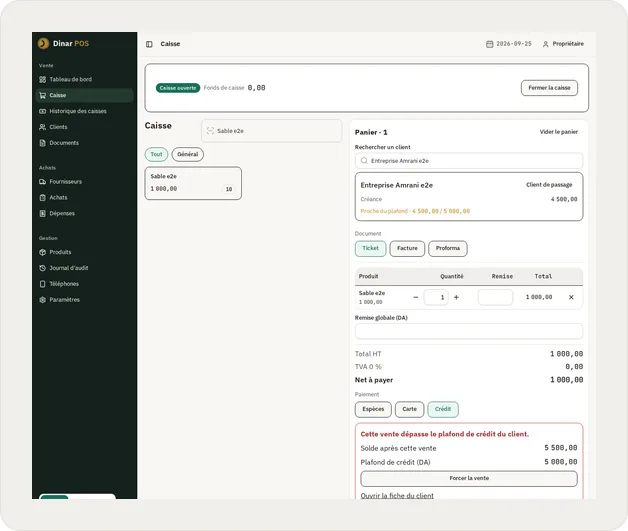
The cashier adds the items, takes cash, card or credit, and the ticket is out in seconds. A sale in progress can be parked to serve the next customer, then picked up again later.
 Dinar POS
No monthly subscription, no internet needed at the counter: everything runs on the shop's own computer.
Get in touch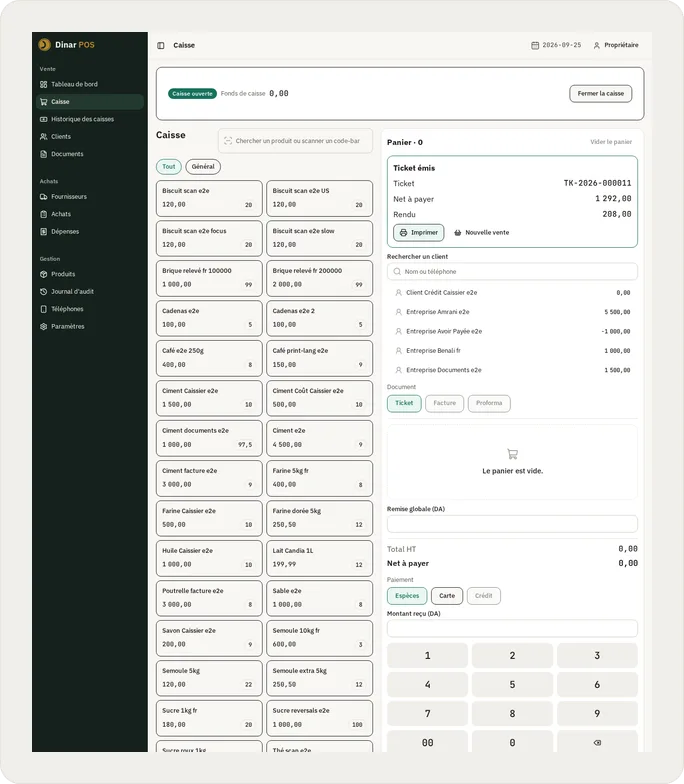
The cashier adds the items, takes cash, card or credit, and the ticket is out in seconds. A sale in progress can be parked to serve the next customer, then picked up again later.
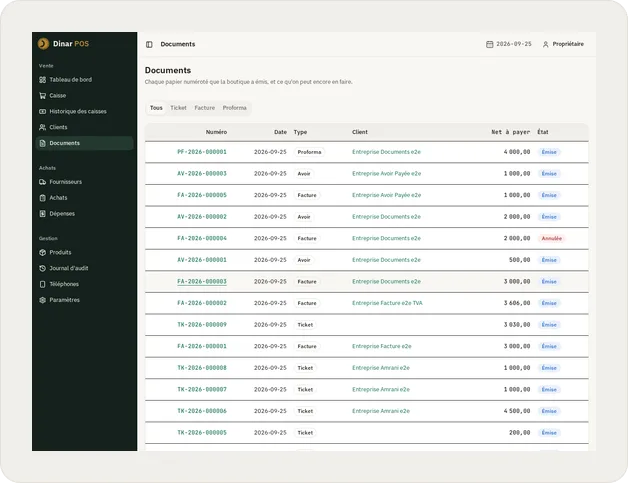
The customer asks for an invoice? One button at the moment of the sale, and it comes out numbered in the year's series, with the required details and the customer's name.
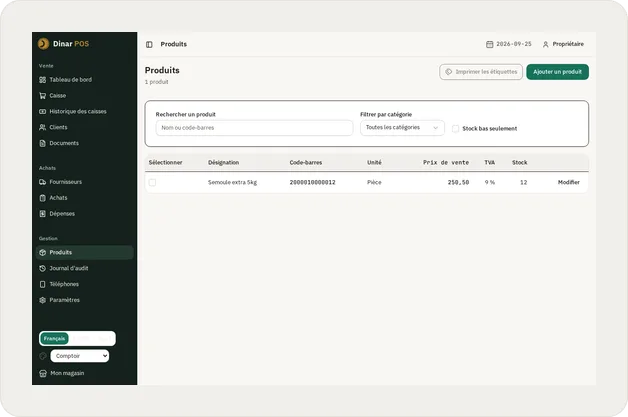
Every sale and every delivery updates the stock, and the home screen flags an item the moment it starts running low.
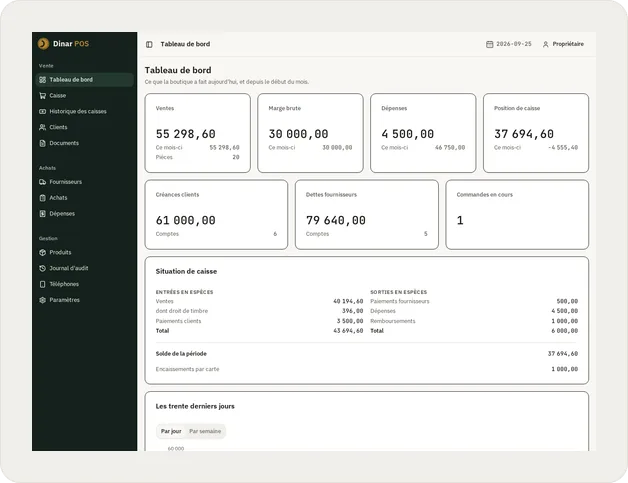
The dashboard answers at a glance: today's sales, what customers still owe, and what is owed to suppliers.
A shop with more than one person at the counter doesn't need everyone to see the same things. Each person signs in on their own account, and what they can do depends on their role: owner, manager or cashier.
What an Algerian shop owner asks a till first, before anything else:
The screen, the ticket and the invoice exist in French, Arabic and English, and each is chosen freely: the language to work in and the language to print in.
For a shop in Algeria still keeping its books by hand or in a spreadsheet, wanting its invoices, its stock and its suppliers in one place.
The price is not set yet, and until it is this form stays closed. It will open here, on this page.
The first download is not ready yet. Follow the releases on GitHub